A private offline budget app
Iron Wealth is a private offline budget app. Your ledger lives on your device, not on our servers, and you never need a bank login, an open-banking connector, or a mobile money PIN. Optional cloud backup is entirely under your control.
- No bank login or mobile money PIN required
- No ads; app financial data stays on-device by default
- Optional Face ID, Touch ID, or Android biometric app lock
- Password-protected exports and cloud backup you control
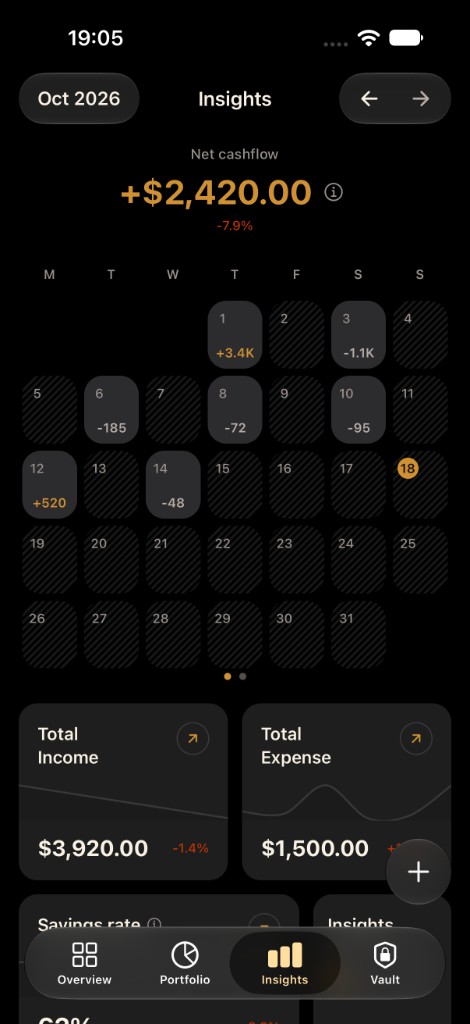
The ledger lives on your device
Balances, transactions, and categories live on your device. We do not need bank logins or open-banking connectors to show your picture. Optional cloud backup is something you turn on and control, not the default product. A local ledger cannot be switched off by a broken bank connection.
How mobile money alerts are read
On Android you allow notification access and choose the wallet and bank apps Iron Wealth may read, such as MTN MoMo, M-Pesa, OPay, or GTBank. Payment alerts from those apps become transactions on the device. Other notifications are not read, stored, or sent. If an alert uses wording the app does not recognize, that alert's text may be sent to the Iron Wealth parsing service to read the amount. On iOS 27 and later, you decide what a Shortcuts automation passes in.
Biometric lock and exports you own
Face ID, Touch ID, or Android biometrics can lock the app. Exports are CSV or JSON, optionally password-protected. Import is supported so you can move between devices without emailing a raw spreadsheet around.
Side by side
| Feature | Iron Wealth | Bank-connected app | Spreadsheet |
|---|---|---|---|
| Connection | No bank or operator login | Bank credentials through an aggregator | None |
| Offline use | Ledger works without a connection | Needs the feed to update | Works offline |
| Mobile money alerts | Android alerts from apps you choose. iOS 27 Shortcuts | Depends on aggregator coverage | Typed by hand |
| Manual control | Add or edit any transaction | The feed decides what appears | Full control |
| Backup | Optional cloud backup you turn on | On the provider's servers | Wherever you save the file |
| Export | CSV or JSON, optional password | Varies by app | The file itself |
Questions
- Where does my financial data live?
- On your device by default. Optional cloud backup is under your control. We do not require bank logins to use the app.
- Does Iron Wealth read all my notifications?
- No. Only payment alerts from the wallet and bank apps you choose. Other notifications are not read, stored, or sent.
- Does the website track me?
- The marketing site may use analytics. The app ledger stays on your device. Details are in the Privacy Policy. You can opt out of website analytics.

Your wealth, in your pocket.
Free to start. Private by design. Download Iron Wealth and see your full financial picture today.